Individual
For one maintainer managing personal or assigned Toolboxes.
$20/mo
- 1 Maintainer seat
- Unlimited Toolboxes and Templates
- AI-assisted Audits with Find & Match Mode
- Email support
ToolSight helps maintenance teams manage physical tool inventory, track Toolbox custody, and identify missing tools. Capture a drawer image, review and confirm AI-assisted Detections, and keep every Audit in one accountable system.


01 / Accountability
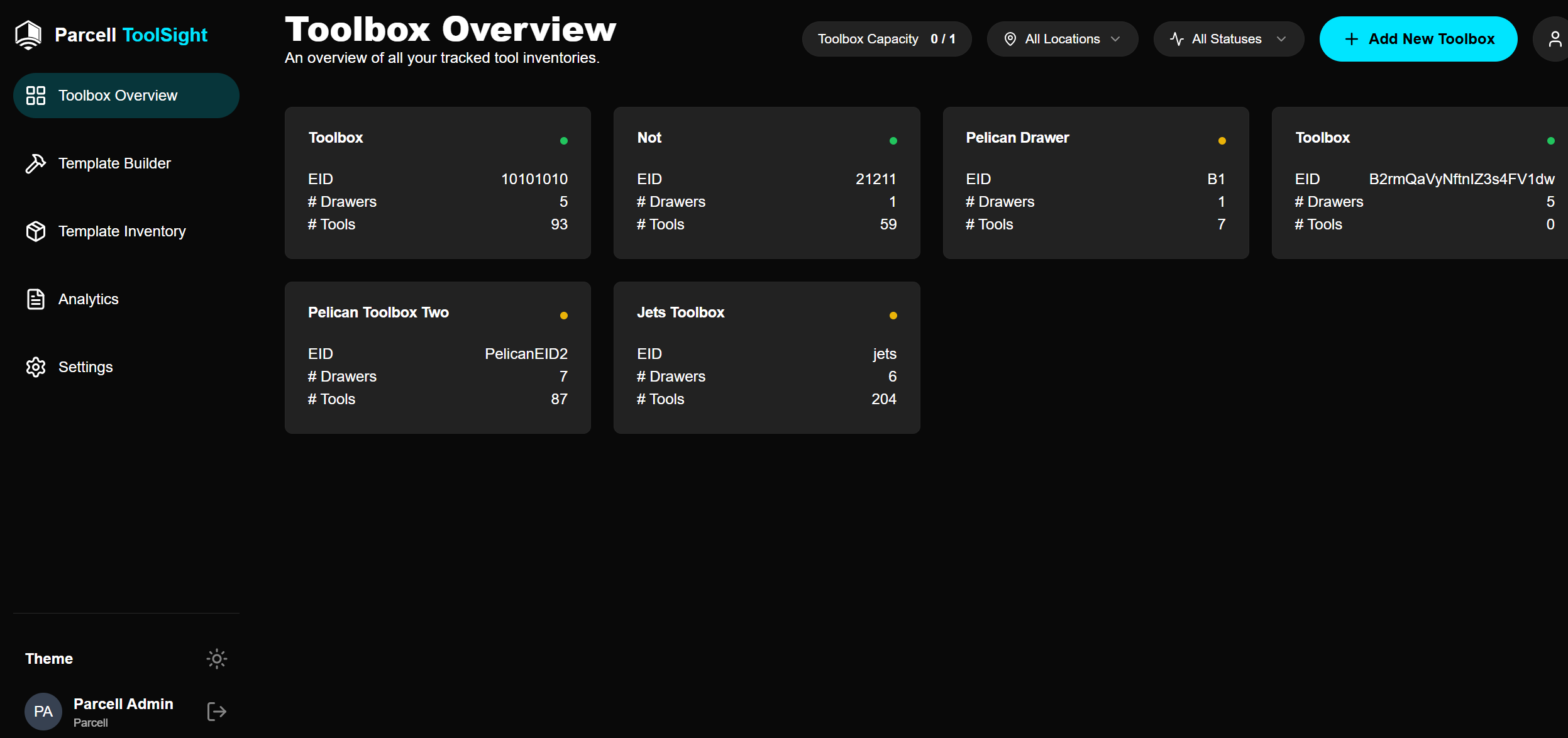
Tool control software connects inventory, Toolbox custody, and Audit history in one place. See who has each Toolbox, review Tools marked absent, and keep a clear record for the next handover.
Compare a Drawer with its Template and review Tools marked present or absent. The Maintainer confirms each Detection before submitting the Audit.
Follow Checkouts, returns, and Overdue Audits in a shared record. Admins can review custody and Audit history when a Toolbox needs attention.
Use the Toolboxes and Drawer arrangements you already have. Create a Template once and reuse it across matching Toolboxes, with no proprietary hardware required.
02 / The workflow
Move from a Drawer image to a reviewed inventory record. Set up the expected Tools, capture the current state, and confirm the results before submitting the Audit.
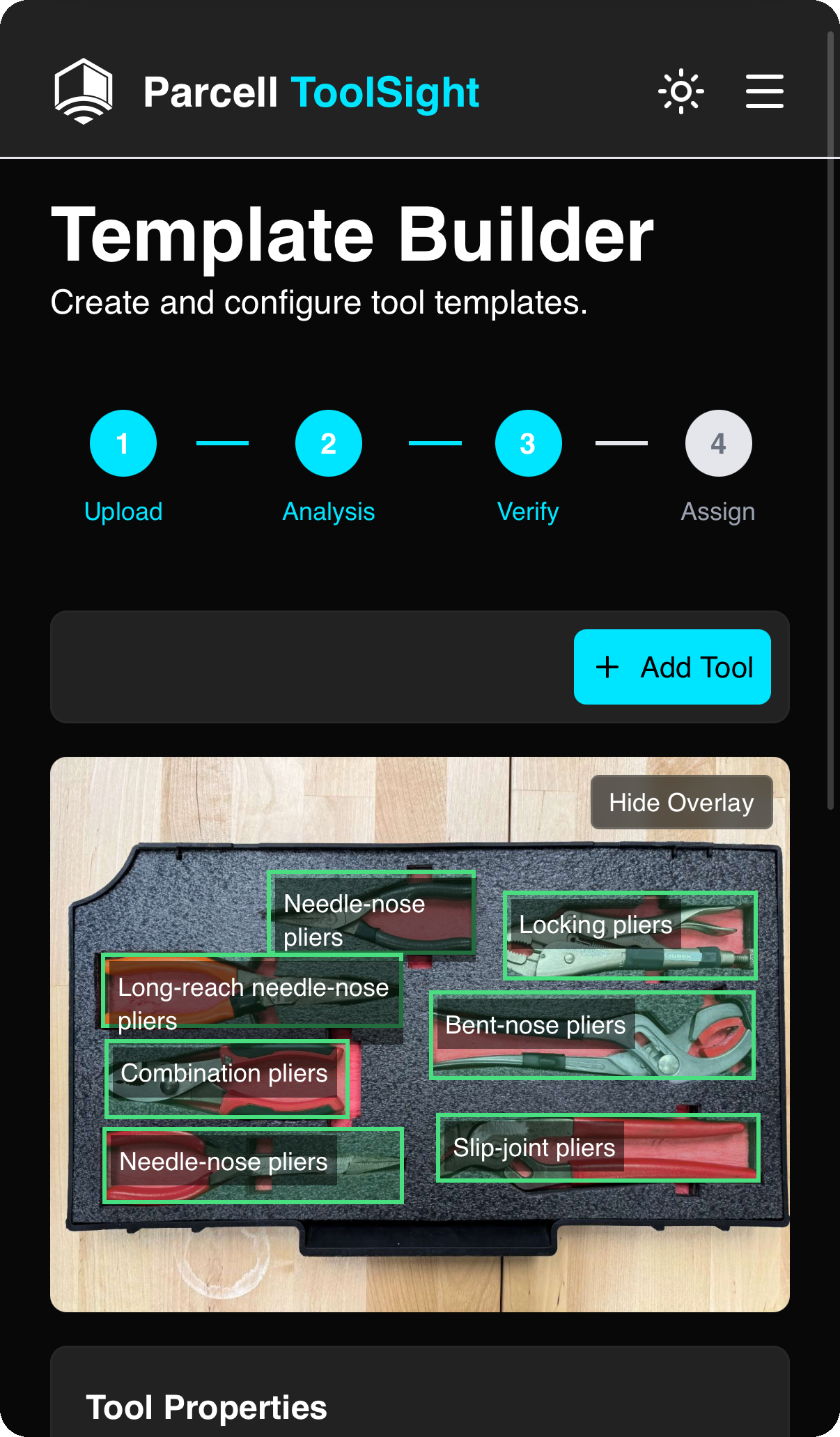
Start with an image of a correctly arranged Drawer. Identify the expected Tools and reuse the Template across matching Toolboxes.
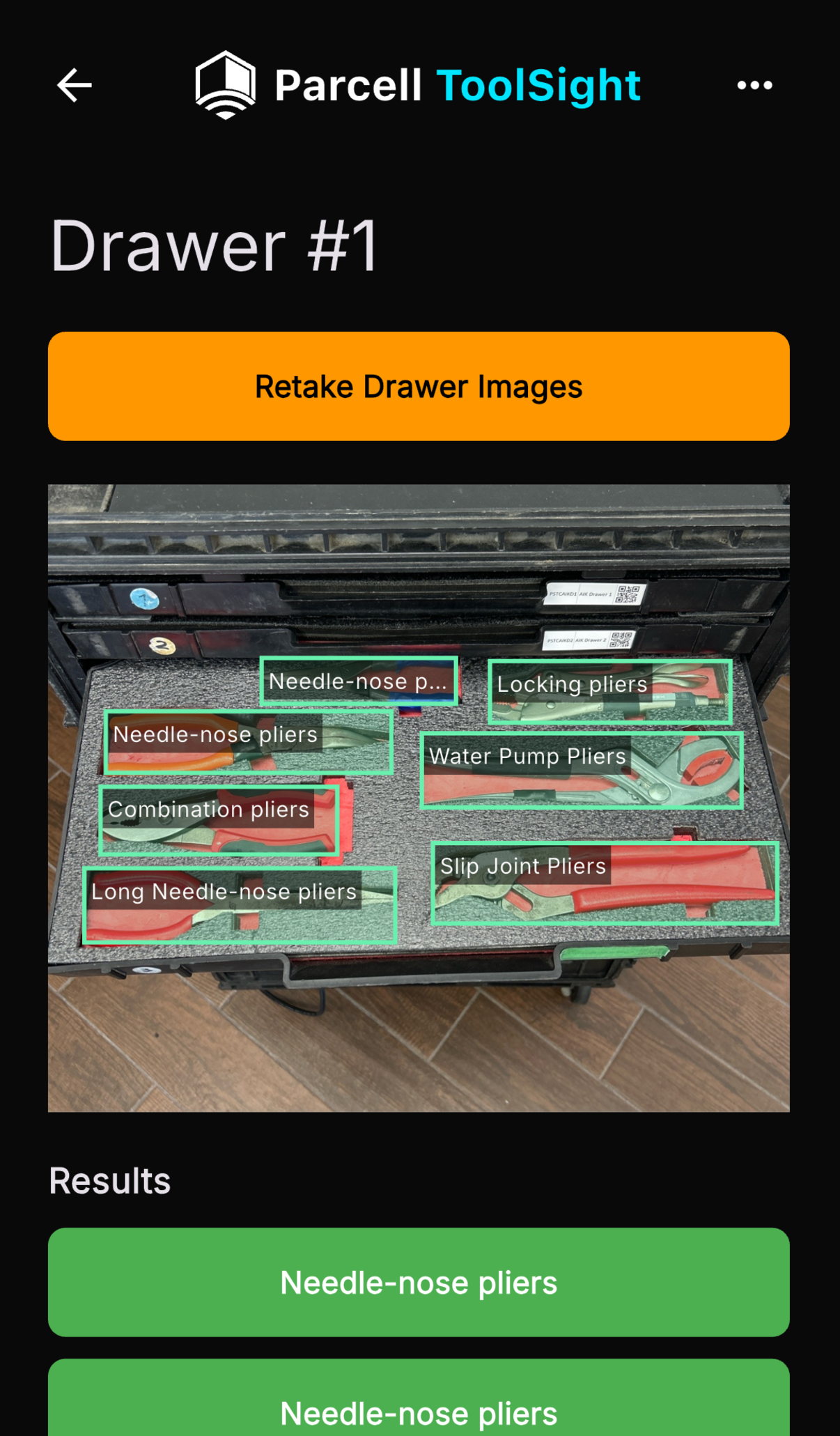
Capture an Audit Image in the mobile app. Review the Tools marked present or absent and confirm the Detections before submitting.
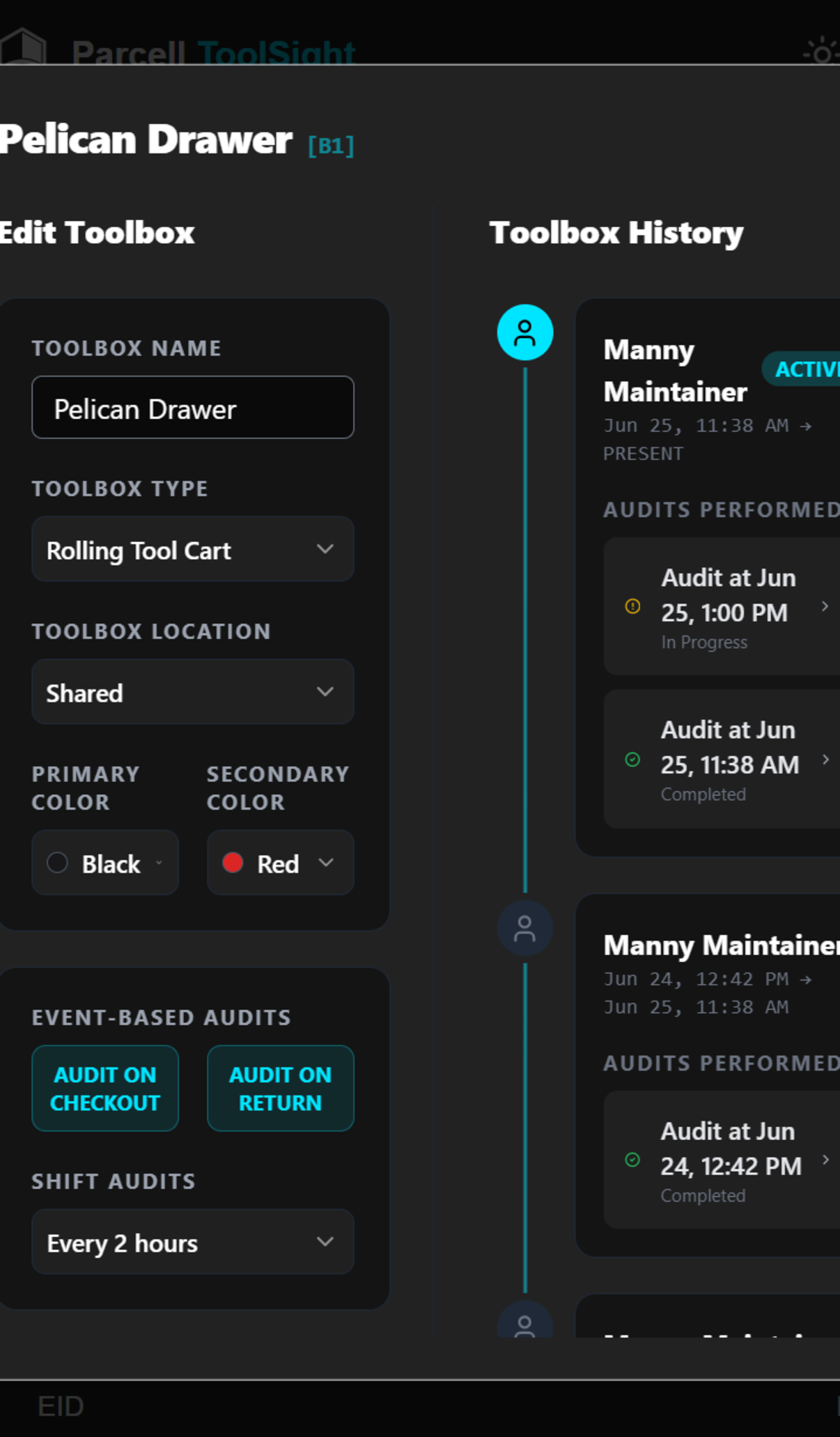
Submit the reviewed Audit and track results from the Organization dashboard. Keep Tools marked absent, custody, and Audit history connected to the Toolbox.
03 / In the field
Use Toolbox audit software to connect Tools, custody records, and reviewed results across your maintenance environments. Give Maintainers a consistent process wherever your Organization works.
Record Tools marked absent and review Toolbox custody to support your Organization's FOD prevention procedures. Preserve the reviewed results for follow-up.
Reuse Templates across matching Toolboxes on the production floor. Keep a shared Audit history as Maintainers move between jobs.
Track shared Toolboxes as they move between Maintainers. Pair Checkout records with reviewed Audits for a clearer handover.
Review Detections and submit Toolbox Audits from the work site. Keep those results connected to the Toolbox's history for Admin review.
04 / Plans for your Organization
Choose a Subscription for the people using your Toolboxes. Compare seats, custody features, and reporting below, or talk to us about a larger deployment.
For one maintainer managing personal or assigned Toolboxes.
$20/mo
For maintenance crews sharing Toolboxes across a shift.
$60/mo
For large maintenance teams and multi-site organizations.
$250/mo
Enterprise. Need a larger deployment? Contact us for custom pricing.
On the shop floor
Capture Audit Images, review Detections, and submit Audits from the shop floor. The mobile app connects the Maintainer's review with the records Admins use in the web console.
A few things to know
Get answers about Templates, AI-assisted Audits, and Maintainer review. See how ToolSight fits your existing Toolboxes and tool-control procedures.
Tool inventory management software helps organizations account for tools, document Toolbox custody, and maintain an Audit history. ToolSight adds AI-assisted visual detection to help maintainers review each drawer against its expected inventory.
A maintainer captures an Audit Image of a drawer in the mobile app. ToolSight compares it with the assigned Template, marks expected tools as present or absent, and requires the maintainer to review the results before submitting the Audit.
Yes. ToolSight is designed to work with existing toolbox brands and drawer layouts, so organizations can add visual tool accountability without installing proprietary toolbox hardware.
ToolSight is built for maintenance teams, MRO facilities, defense units, manufacturing shops, automotive teams, and other organizations that need consistent Toolbox inventory, Checkout tracking, and Audit records.
ToolSight helps teams identify tools marked absent during an Audit, record who has custody of a Toolbox, and preserve Audit history. These controls support an organization’s broader foreign object damage prevention process.
Walk through the Audit process, custody tracking, and reporting with our team. Bring your Toolbox setup and rollout questions so we can focus on how your Organization works.
See Template setup, image capture, and Maintainer review using the Drawer arrangements your Organization manages.
Discuss locations, responsibilities, and rollout timing, including who will manage Templates and Invitations.
Review Audit history, Checkout records, and analytics to see how they support your day-to-day oversight.
Tell us about your Organization and maintenance environment so we can tailor the walkthrough to your Toolboxes and workflow.